
How to install TiviMate on Android TV box
On most Android TV boxes — Nvidia Shield, Walmart Onn 4K, Xiaomi Mi Box — TiviMate is right there in the Play Store and installs in under five minutes. On a few (some Google TV and LG models) it’s hidden, and you sideload it with code 272483 instead. Both routes are below.
TiviMate is only the player — it won’t show a single channel until you add an IPTV subscription (Xtream Codes or an M3U link). Have those details ready. First, check which route applies to you:
| Your box | Route |
|---|---|
| Nvidia Shield, Onn 4K, Mi Box, Sony Bravia | Case A — install from Play Store |
| Some Google TV / Chromecast, certain LG boxes | Case B — sideload with code 272483 |
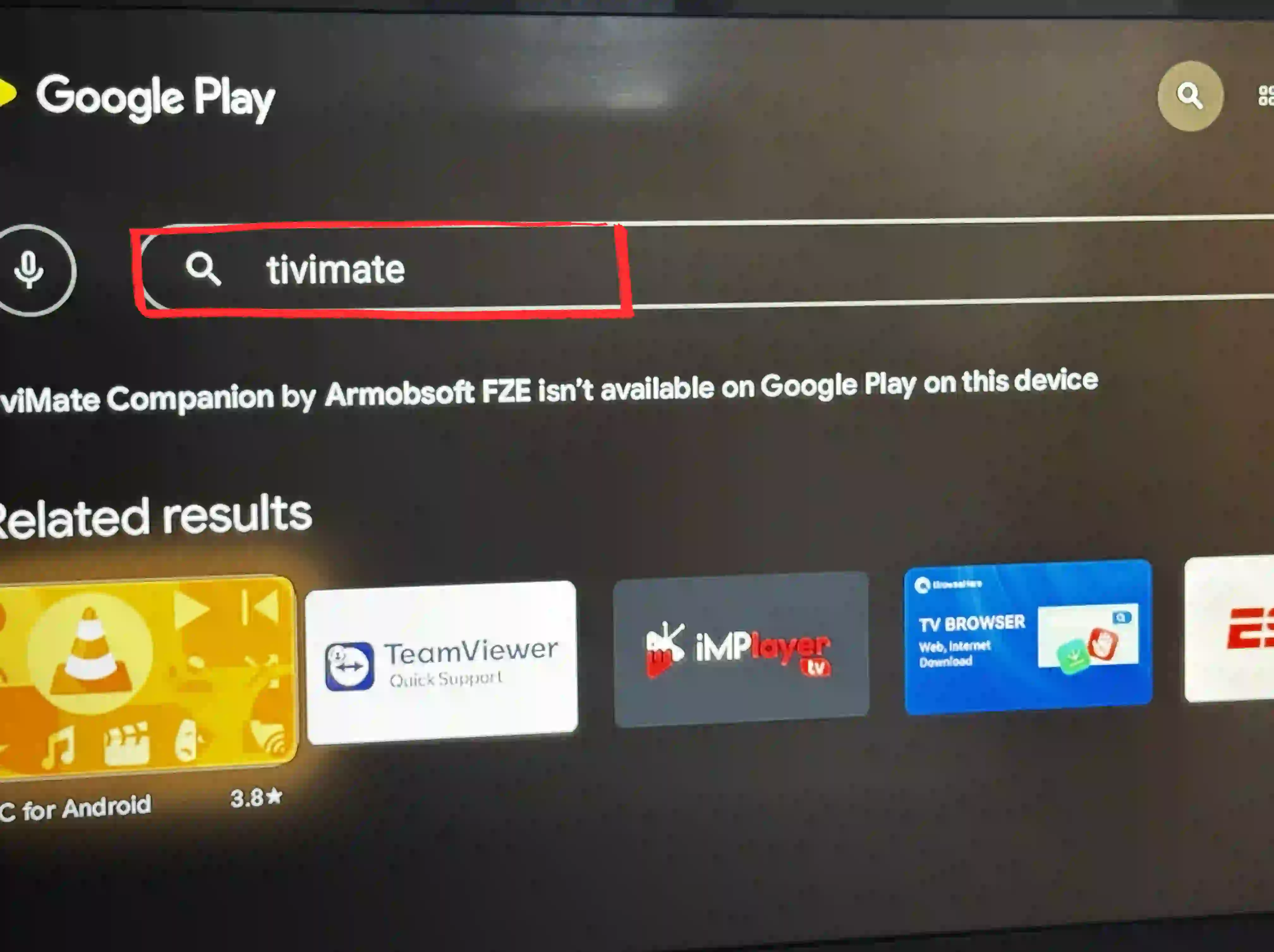
Not sure? Open the Play Store and search “TiviMate IPTV Player”. If it appears, you’re Case A. If it says “not available on this device”, jump to Case B.
Install TiviMate from the Play Store
Search and install TiviMate
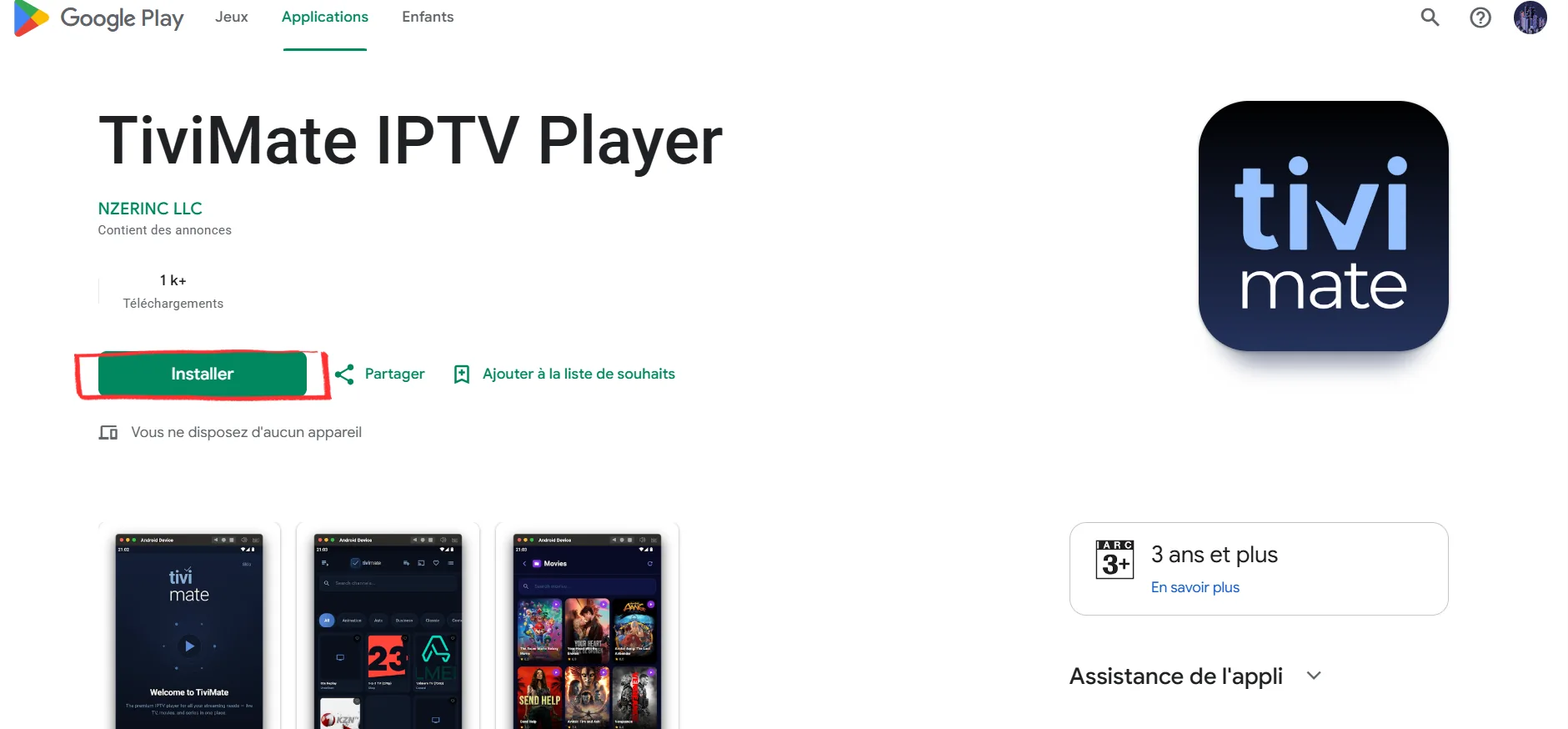
Open Google Play on your box, search TiviMate IPTV Player, pick the app by NZERINC LLC and press Install.
Open TiviMate and add your playlist
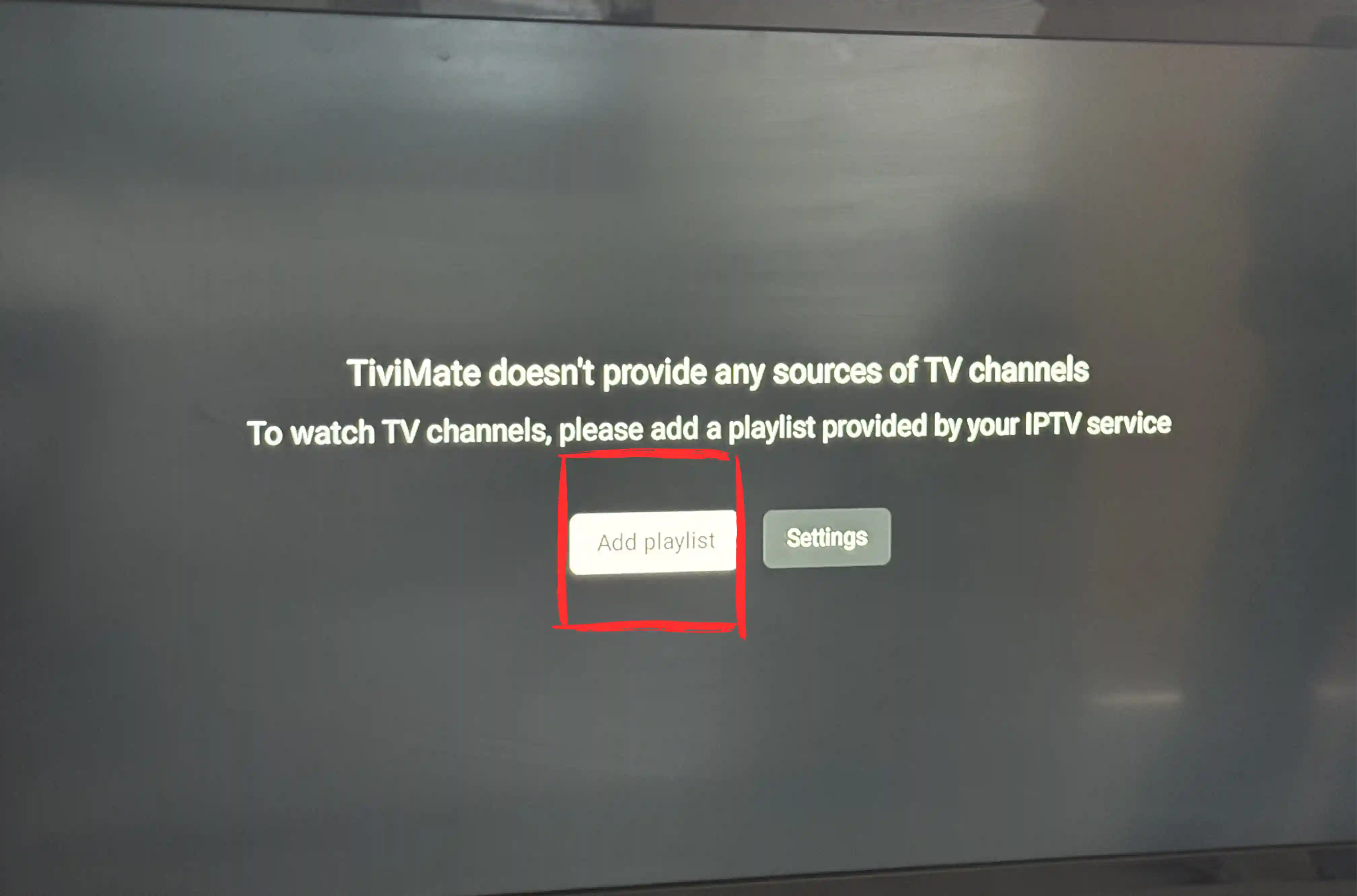
On first launch you’ll see “TiviMate doesn’t provide any sources of TV channels” — that’s normal. Press Add Playlist.
Choose Xtream Codes or M3U
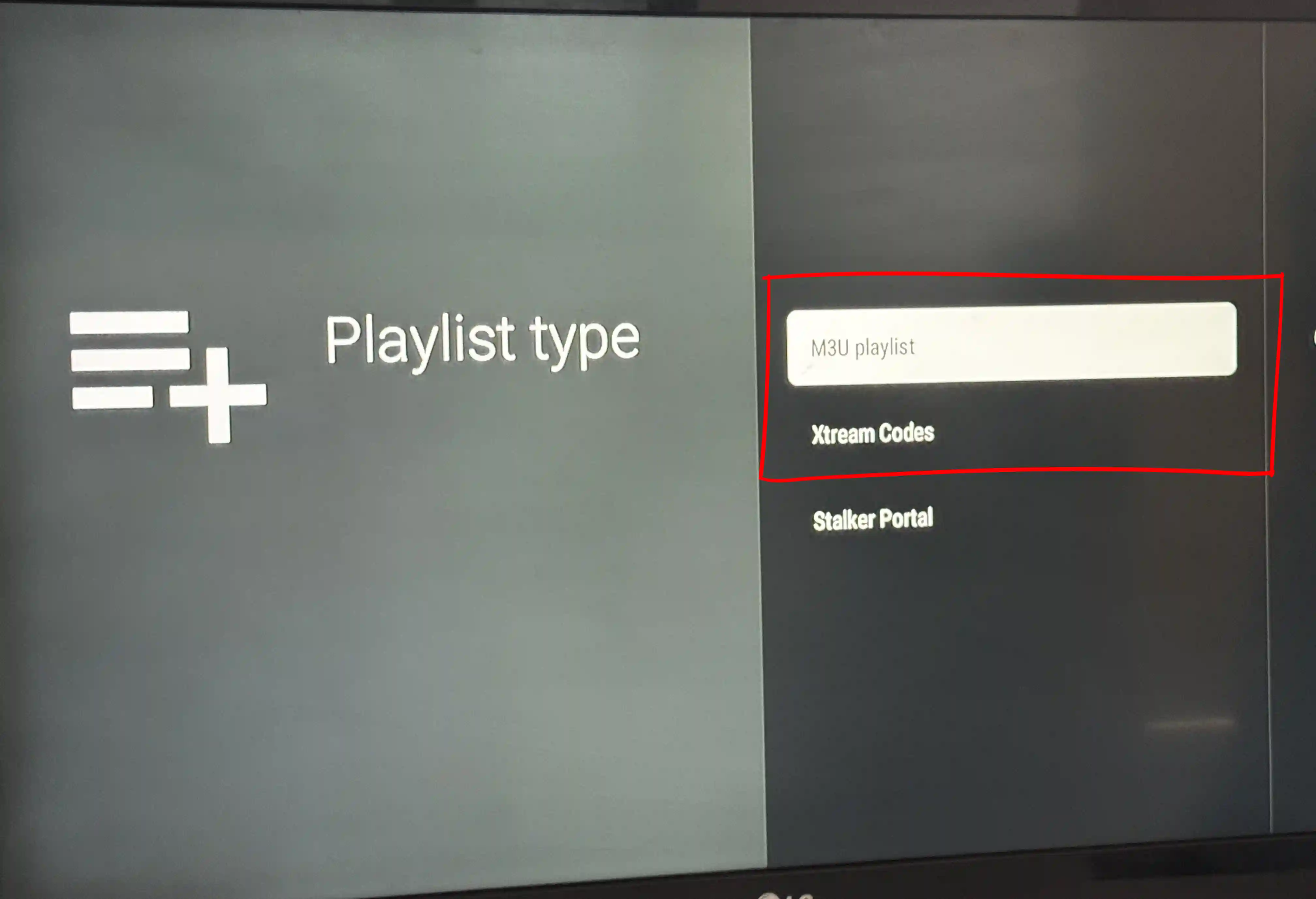
Pick Xtream Codes (recommended — it survives provider server changes) and enter Server URL, Username and Password, or paste your M3U URL. Press Next, keep Live TV and VOD ticked, then Done.
✓ Done. Channels load in a minute or two. That’s the whole install on a supported box.
If TiviMate isn’t in your Play Store
Only use this if Google Play shows “not available on this device.”
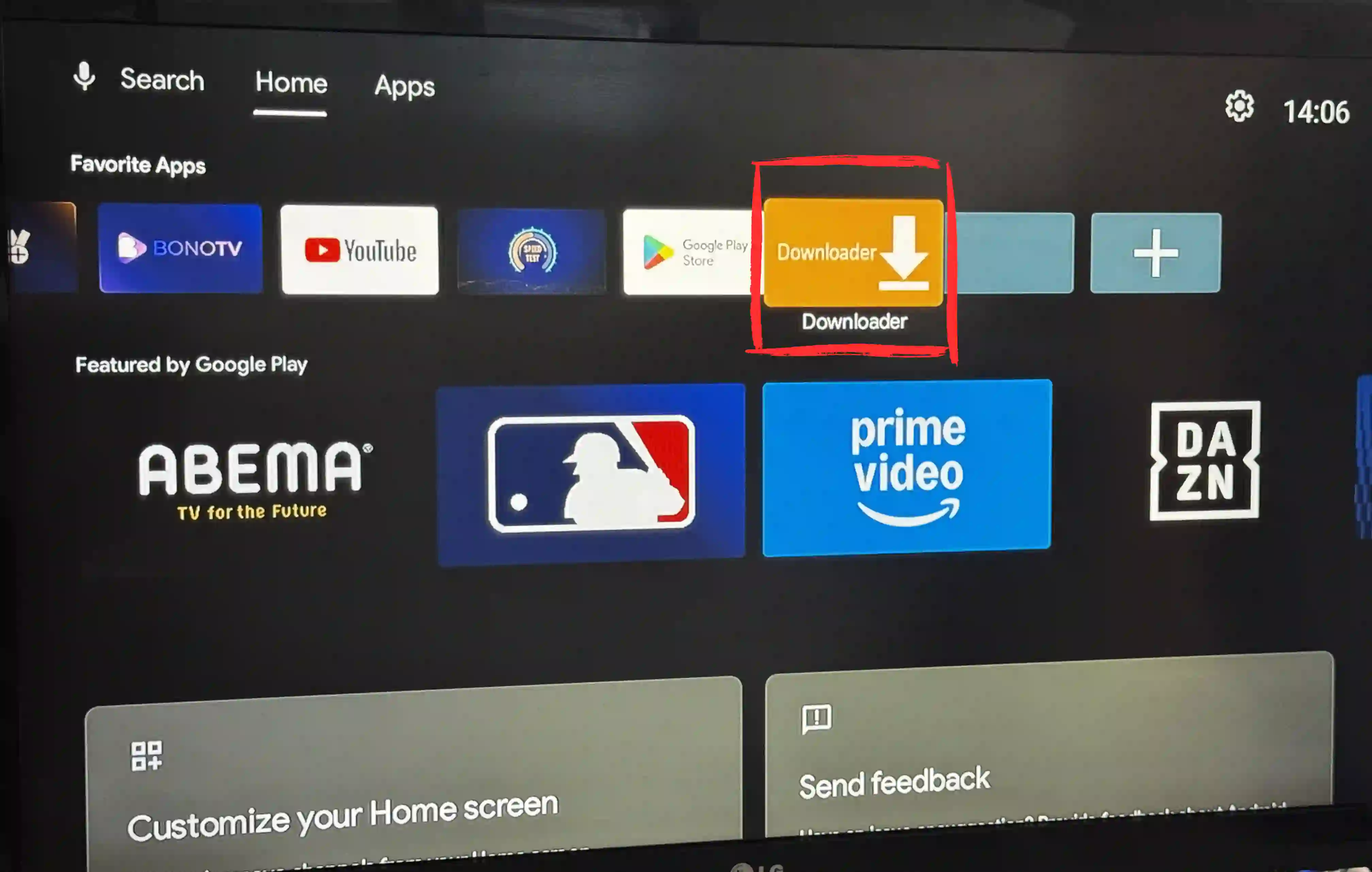
Install Downloader
In the Play Store, search Downloader (orange icon, by AFTVnews) and install it. Then enable Install unknown apps for Downloader in Settings → System → Developer options (unlock developer mode by clicking your build number 7 times if needed).
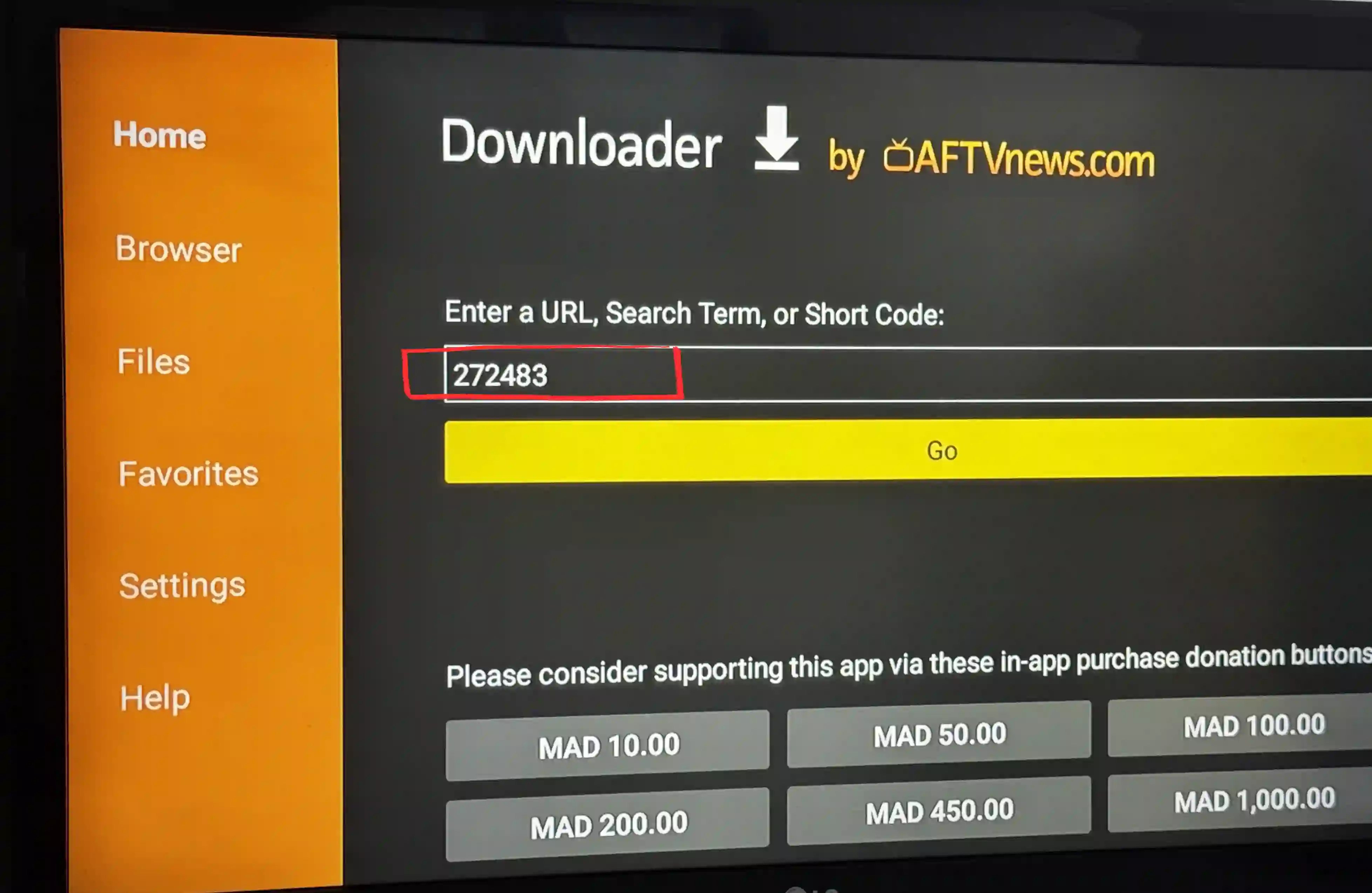
Enter code 272483
Open Downloader, type 272483 in the address field and press Go. It downloads the TiviMate APK — press Install when prompted, then add your playlist exactly as in Case A.
A note on the Walmart Onn 4K box
The Onn 4K and Onn 4K Plus run standard Google TV, so TiviMate installs the Case A way in the Play Store. If a system update ever hides it, the Case B sideload with 272483 works identically. It’s one of the cheapest boxes that runs TiviMate smoothly in 4K.
After the install: playlist, guide and layout
Installing the app is the quick part. What makes TiviMate on Android TV actually feel like a TV is the two minutes right after: loading a playlist that works and getting the guide to fill in.
- Playlist. If your provider gave you a server URL, username and password, use Xtream Codes — it re-syncs on its own when they change servers. A plain M3U link works too; it is just more to paste with a remote. Our playlist guide covers both.
- TV guide (EPG). Xtream usually pulls the guide automatically. On an M3U you add the XMLTV URL by hand in Settings, then EPG. If channels read "No Information", it is nearly always a channel-ID mismatch, and the EPG guide walks through the fix.
- Trim the list. Long-press any channel to hide or reorder it, so the box opens on the twenty channels you watch instead of the eight thousand you do not.
Android TV box problems, and quick fixes
Most trouble on an Android TV box is the box itself, not TiviMate. These are the ones people actually hit.
"App not compatible"
An older box on Android 5 or below cannot run current TiviMate. Sideloading gets it on, but the smoother answer is a cheap modern box like the Onn 4K.
Remote will not scroll the guide
Some third-party remotes send the wrong key codes. Use the box's own remote, or remap the D-pad in TiviMate's playback settings.
Out of storage mid-install
Budget boxes ship with very little space. Clear one or two unused apps first, then install.
Buffering on 4K channels
Usually the network, not the box. Use Ethernet over Wi-Fi where you can, and set TiviMate's decoder to hardware.
If a channel throws a real error code rather than a box quirk, our TiviMate not working guide decodes each one.
Which box runs TiviMate on Android TV best?
They all run it, but they are not equal. The Nvidia Shield is the fastest and handles 4K with recording without complaint, so it is the one to buy if budget is not the deciding factor. The Walmart Onn 4K is the value pick: it runs TiviMate on Android TV smoothly for well under thirty dollars. The Xiaomi Mi Box and most Sony Bravia sets sit in between and are fine for everyday viewing. The ones to skip are the no-name sub-twenty-dollar boxes, which install the app and then stutter on anything above 1080p.
Activate Premium on your box
Free runs one playlist; Premium ($9.99/year or $33.99 lifetime, 5 devices) adds multi-playlist, recording and favorites. Full breakdown on our TiviMate Premium guide.
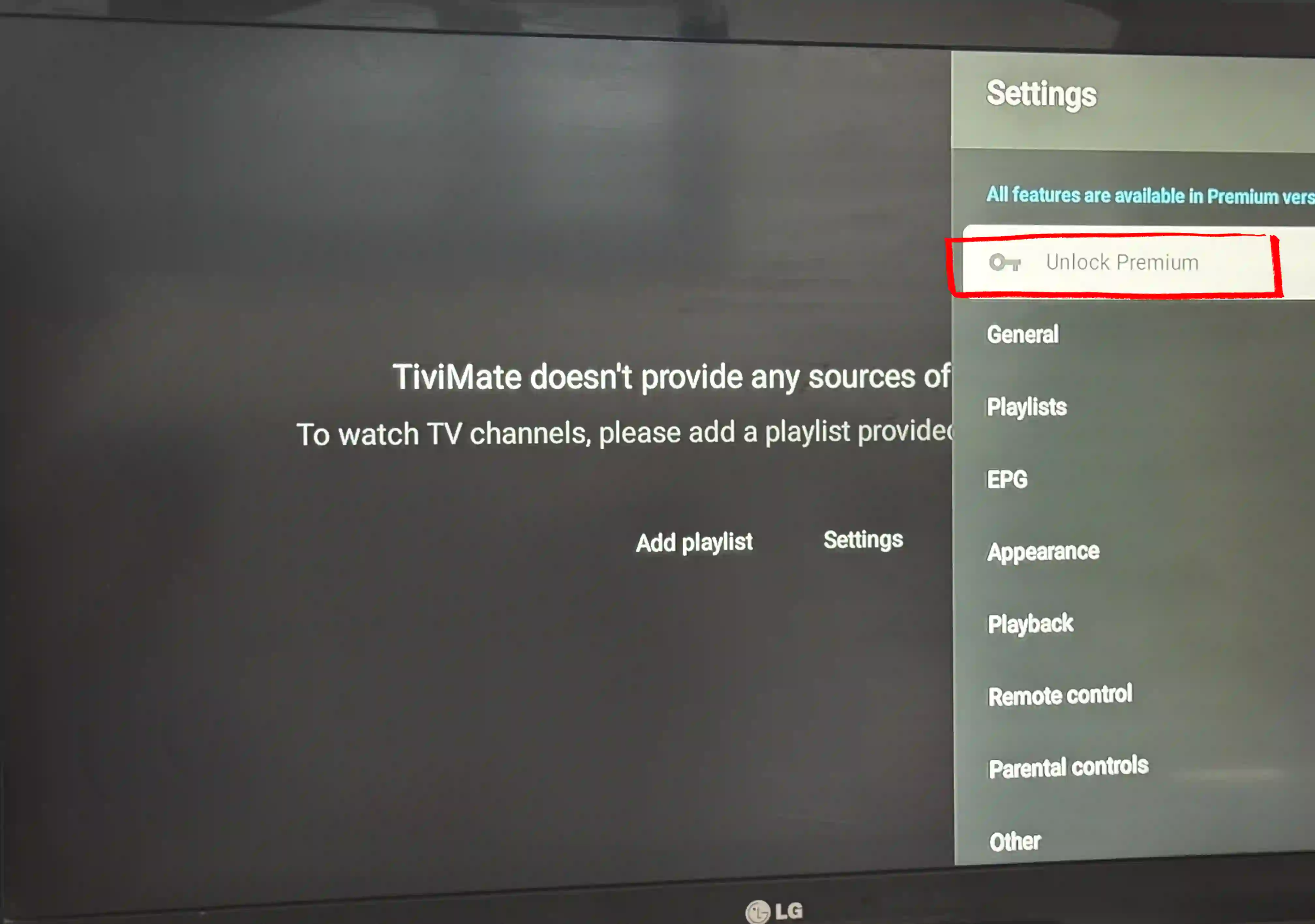
Open Settings → Unlock Premium
In TiviMate, go to Settings → Unlock Premium.
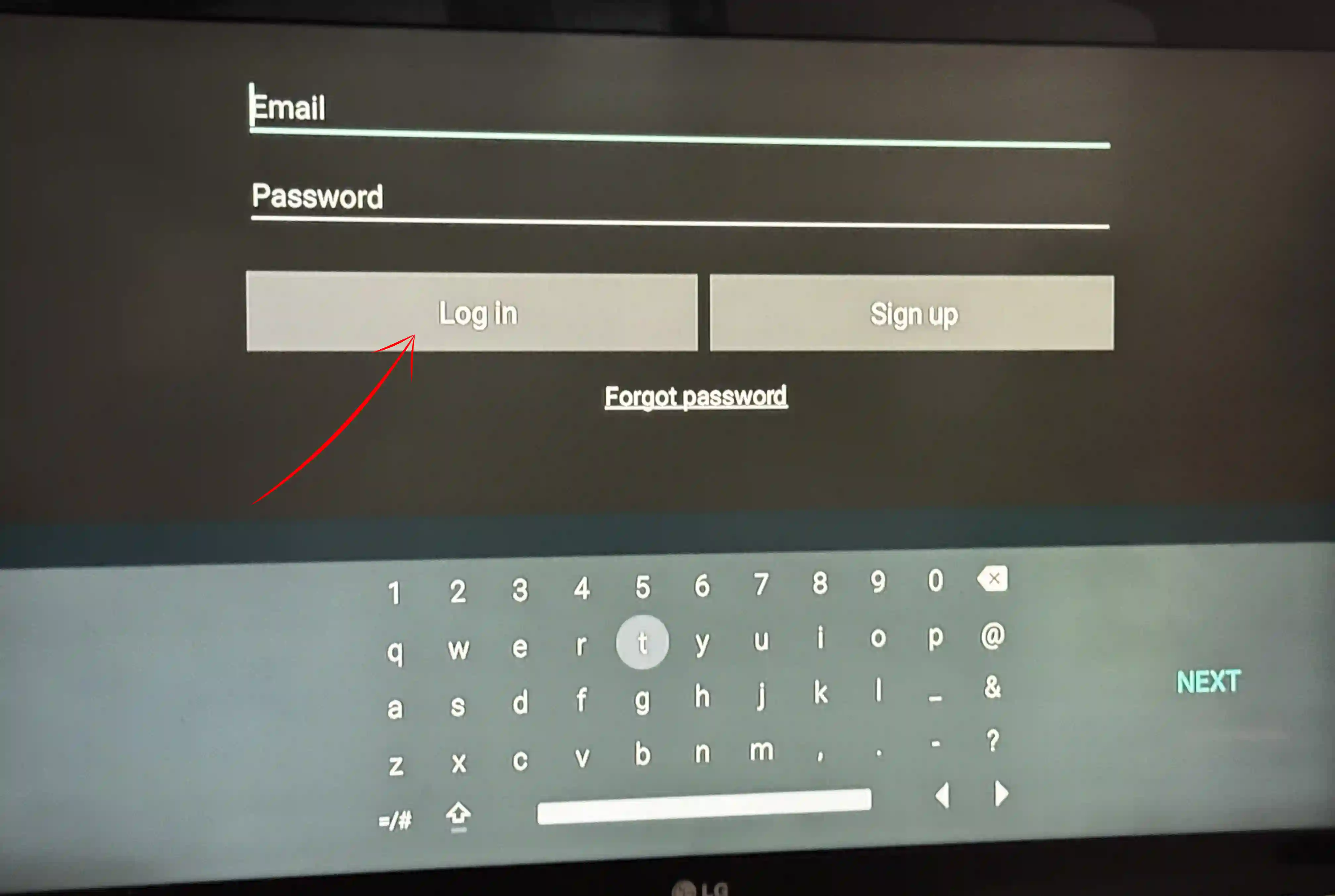
Sign in to activate
Log in with your TiviMate account (bought via the Companion app or tivimate.com). Premium switches on instantly and covers all 5 of your devices.
Android TV + TiviMate FAQ
Is TiviMate free on Android TV?
Yes — the app is free and plays one playlist. Premium ($9.99/year or $33.99 lifetime) adds multiple playlists, recording and favorites. You only pay if you want those.
Why isn’t TiviMate in my Play Store?
The developer limits which devices see it. Some Google TV and LG models are excluded, so Google Play shows “not available.” The Case B sideload with code 272483 installs the exact same app.
Does TiviMate work on the Onn 4K?
Yes. The Walmart Onn 4K and Onn 4K Plus run Google TV and install TiviMate straight from the Play Store — it’s a popular budget box for exactly this.
Do I need a computer to sideload TiviMate?
No. Everything runs on the box itself through the Downloader app and code 272483 — no PC or cables.
Next steps

Fire Stick guide
Download and install TiviMate on any Fire Stick in about 13 minutes using Downloader code 272483, step-by-step with screenshots, playlist…
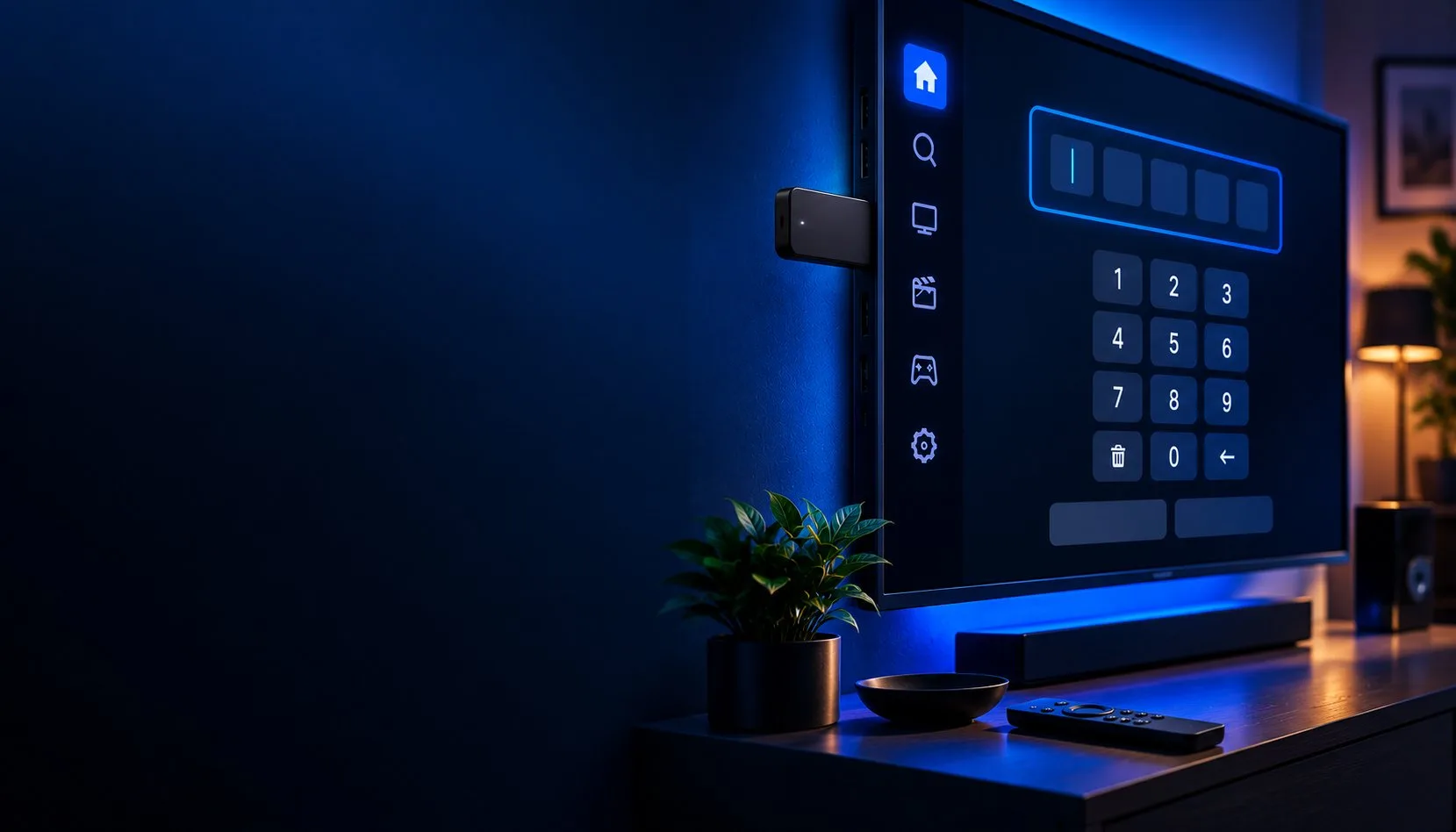
Downloader code 272483
TiviMate downloader code is 272483. Enter it in the Downloader app to install TiviMate on Fire Stick or Android TV, what it does, how to…

TiviMate Premium
TiviMate Premium (aka TiviMate Pro): what it unlocks, real 2026 prices ($9.99/yr or $33.99 lifetime) and how to buy the subscription, plus…